


Know every song you play. Get the whole band gig ready.
Keep your whole repertoire in one place and rate each song red, yellow, or green. You see what to practice and whether the set is ready. Playing with a band? Share the setlist with one link, and each bandmate rehearses the same songs in Apple Music, Spotify, Tidal, or YouTube, whichever they already use.
One Pro account shares the set. Bandmates join free, and your set never counts against their free limit.


What it does
For one player keeping a repertoire, or a band getting a set ready. Free covers the core; Pro adds what is marked.
- Rate it in one tap
Needs work, Close, or Got it, from any screen. Every change is dated, so you see a song improve.
- Key, tempo, and art filled in
Add a song and the app finds the art, year, key, BPM, and streaming links.
- Notes and a practice log
Pin a note for the tricky bar and keep a dated log of every practice.
- Practice what needs it
Work on these lines up red songs, then yellow. Pick a tune chooses one for you.
- Setlists with a gig date
Give the set a gig date. The readiness bar counts green, yellow, and red.
- Share the set with your bandPro
One link. Bandmates add it to a free account, and it never counts against their limit.
- Any streaming service
Apple Music, Spotify, Tidal, YouTube Music, and more. Each bandmate uses their own.
- Offline, on every device
Works without a signal and syncs across iPhone, iPad, Android, and the web.
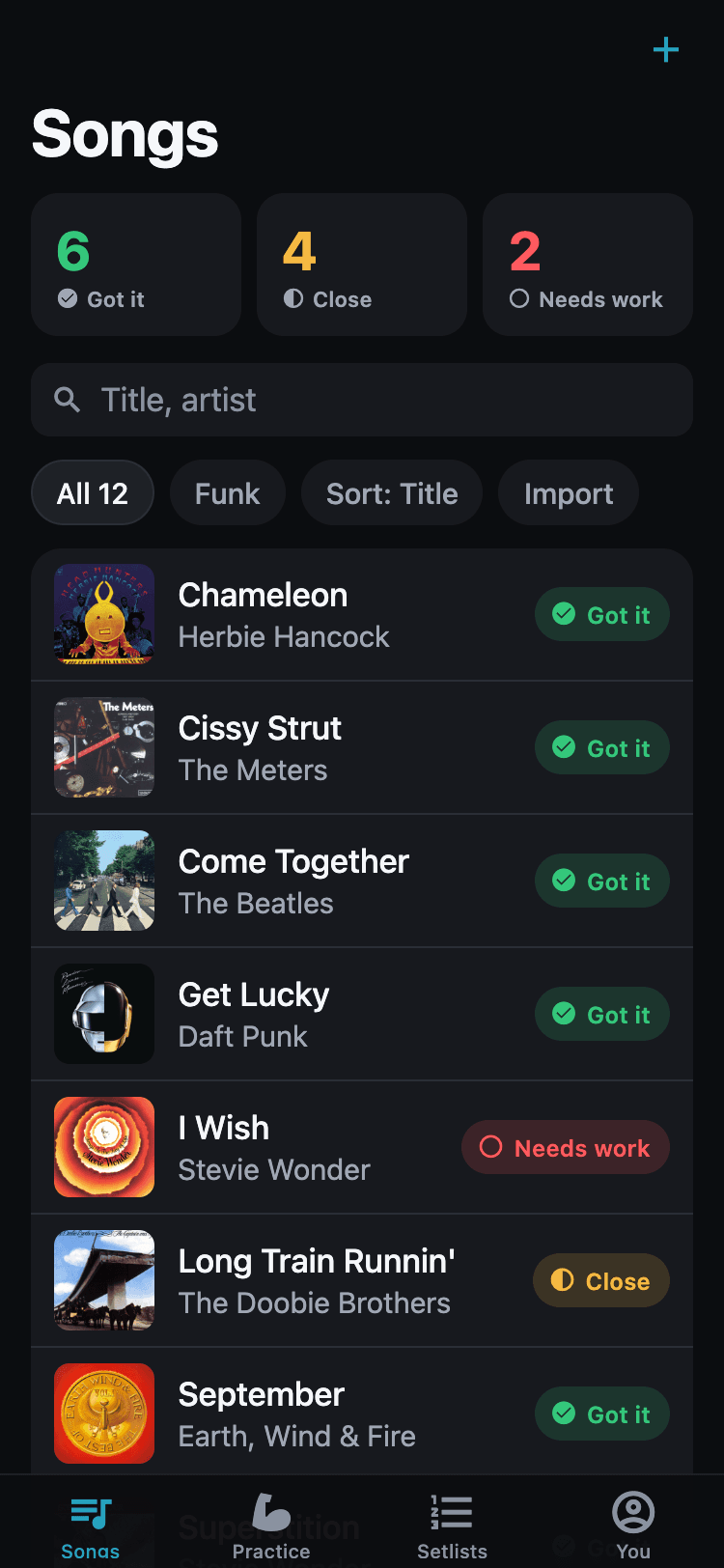
Rate it in one tap.
Every song shows its rating as color, icon, and word. Change it from any list, the song page, or the player. Every change is dated, so you can watch a song get better.
- Add by search with album art, paste a list, or import a CSV
- Key, tempo, tuning, notes, files, and links to your streaming services
- Search and rate with no signal; it syncs when one returns
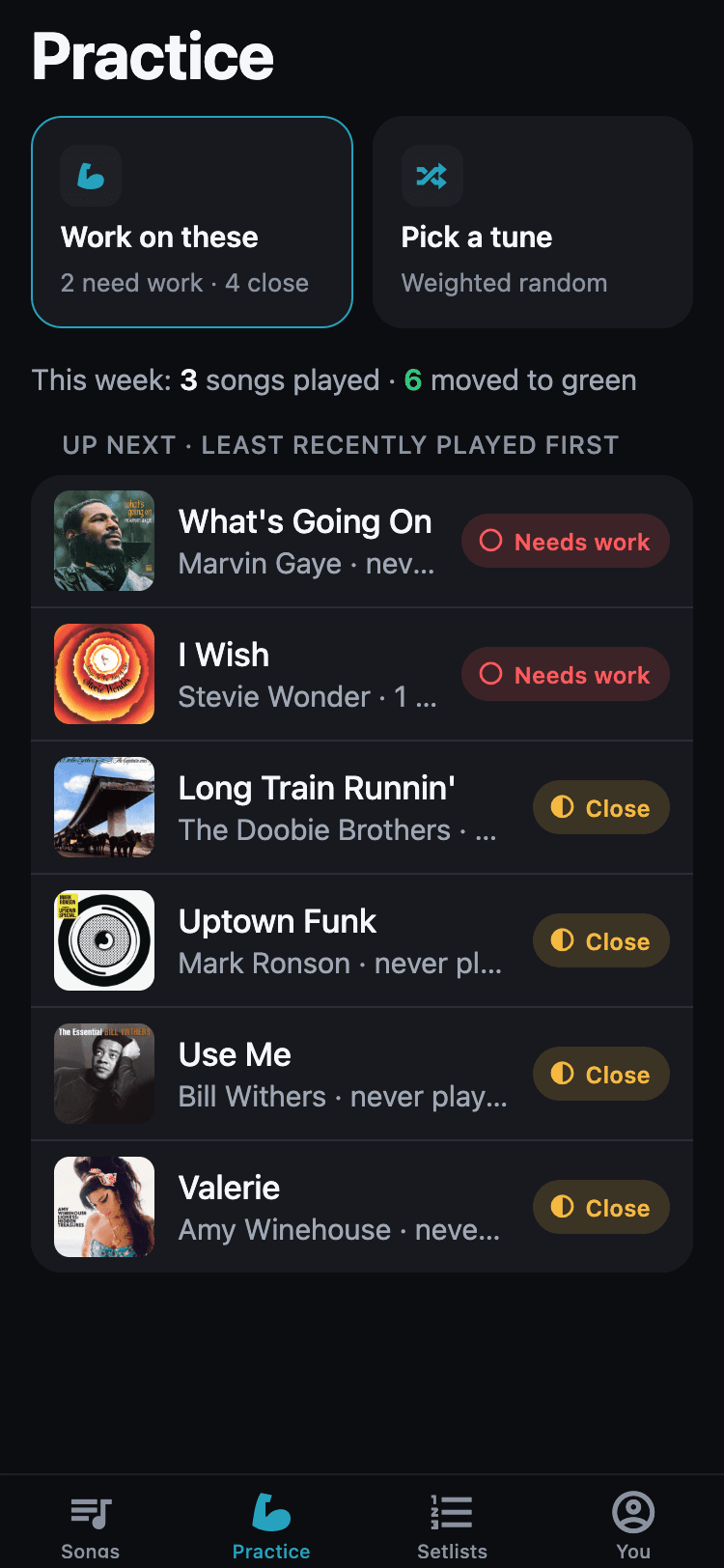
Practice what needs it.
Work on these lines up red songs, then yellow, least recently played first. Pick a tune draws at random, weighted toward what needs work. Still got it? asks about green songs you have not played in 60 days.
- The app never changes a rating on its own. It asks; you decide
- Your own recordings play at 50 to 150 percent with the pitch held
- A dated practice log on every song
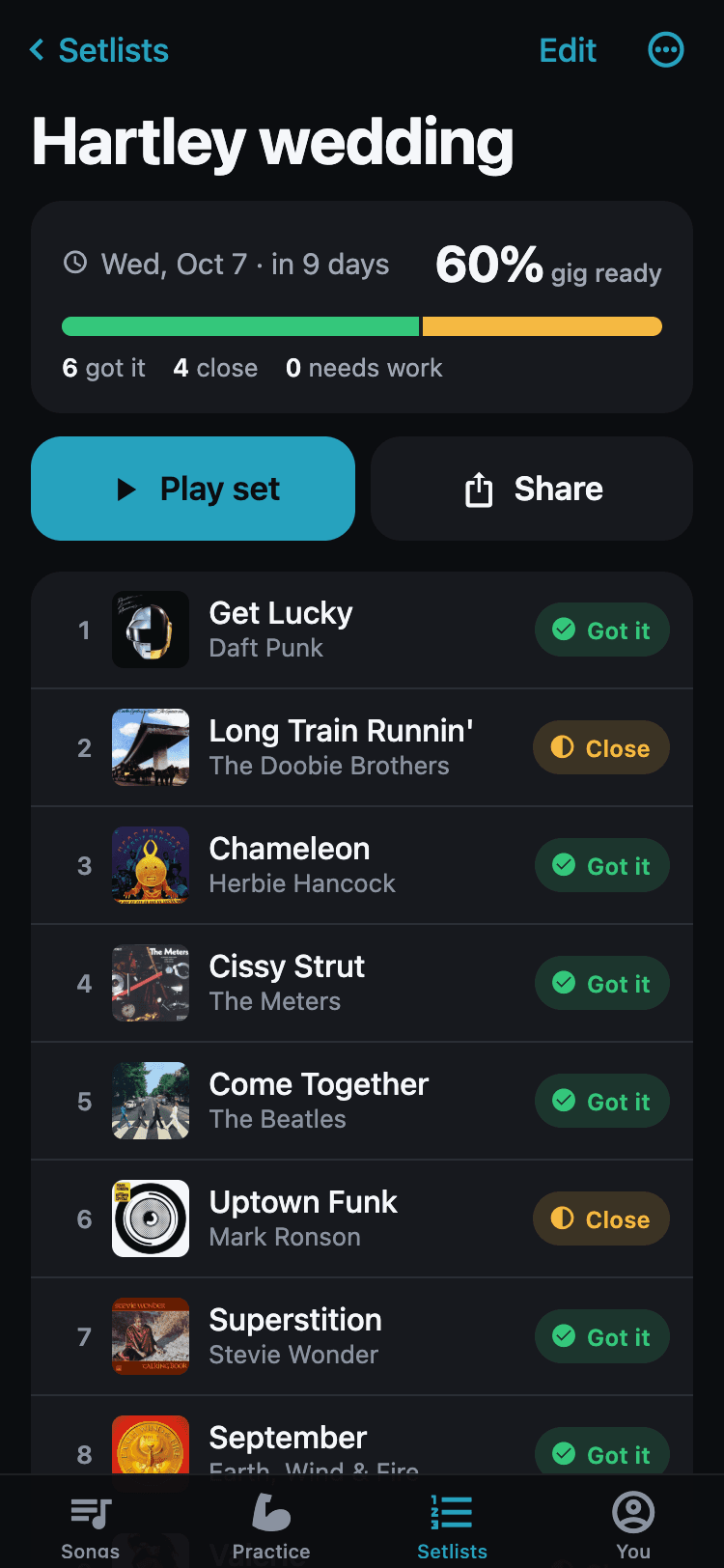
Know if the set is ready.
Give a setlist a gig date. The readiness bar counts green, yellow, and red and the days left. Share the set with one link; your bandmates import it and rate it for themselves.
- Per-song key and note on the set
- Play the set straight through in the player
- One link to share; no account needed to look
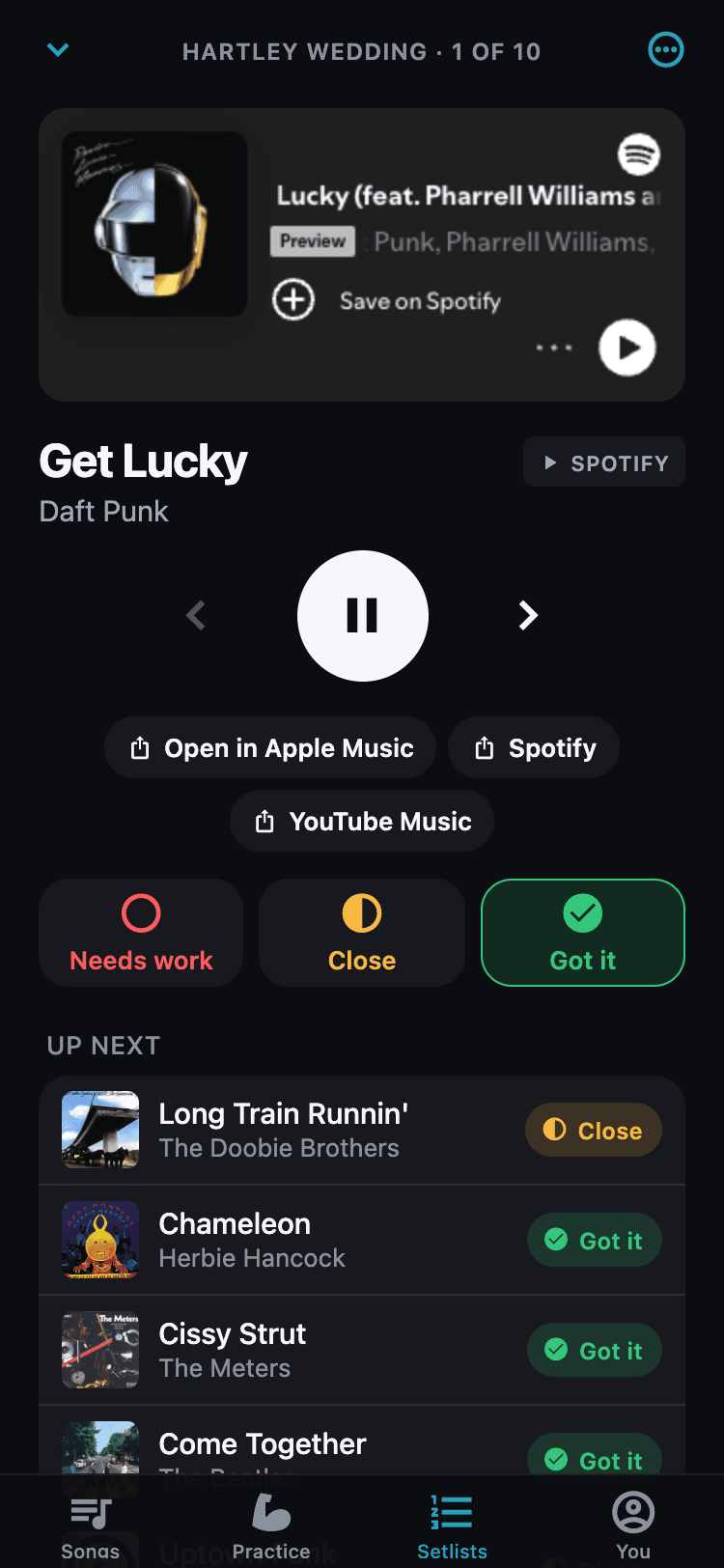
Play the set, rate as you go.
The player runs a setlist straight through. Your own recordings get a tempo control from 50 to 150 percent with the pitch held, and an A/B loop for the hard bar. Apple Music subscribers hear full songs in the app, and YouTube plays right there too.
- Rate the song you just played without leaving the player
- Open in Apple Music, Spotify, Tidal, or YouTube Music, one tap away
- Charts and recordings attached to the song, right there
Plans
Free is a working app, not a trial. Pro removes the caps. The App Store, Google Play, and checkout on the web show the price where you live.
- Up to 25 songs
- One setlist with readiness
- Practice queue, Pick a tune, Still got it?
- Metadata, art, and streaming links
- Sync across your devices
- Join your band’s shared sets
- Files, import, and sharing
- Unlimited songs and setlists
- 5 GB of files on your songs
- Player with tempo control and loops
- Playlist and CSV import
- Share setlists with your band
- Everything in Free
The full specification, the platform table, and what the app does not do are on the About page.
Questions
Anything else? Write to support@knowthetune.com.
What is Know the Tune?
An app for musicians that keeps every song you play in one place. Rate each song red, yellow, or green, practice what needs work, and build setlists that show whether the gig is ready. It works for one player keeping a repertoire and for a band getting a set ready.
Is Know the Tune free?
Yes. The free plan is a working app with no card and no time limit: up to 25 songs, one setlist, the practice tools, song details, sync across your devices, and any setlist your band shares with you. Pro removes the limits and adds files, playlist import, and sharing your own setlists.
Can my bandmates use it without paying?
Yes. When a Pro member shares a setlist, each bandmate adds it to a free account, and it never counts against their free limits. Anyone with the link can see the songs, artists, and keys without an account.
Which streaming services does it work with?
Apple Music, Spotify, Tidal, YouTube Music, YouTube, Amazon Music, Deezer, Pandora, and SoundCloud, in the order you choose. Apple Music subscribers hear full songs in the app and YouTube plays in the app; the others open with one tap. Each bandmate uses the service they already have.
Does it find the key and tempo for me?
Yes. When you add a song, Know the Tune looks up the album art, year, key, tempo, and streaming links and fills in what it finds. You can change any of it to match how you play the song.
Can I import my playlists?
With Pro, yes: Apple Music, Tidal, and YouTube playlists, or a CSV file from anywhere, including a Spotify playlist exported to CSV. You can keep an imported playlist as a setlist in the same step.
Can I slow a song down to learn it?
Yes, for recordings you upload with Pro: play them from 50 to 150 percent speed with the pitch held, and loop a hard section between an A and a B point. Streamed songs play as the service provides them.
Does it work offline?
Yes. Your song list, search, practice queue, and ratings work without a signal and sync when you are back online.
What devices does it run on?
iPhone, iPad, Android, and any web browser at app.knowthetune.com. One account syncs across all of them.

One song, twelve days.
Every rating change is dated, so a song’s story is right there. A sample log:
The bandleader texts "Valerie" for the Hartley wedding. You add it from the parking lot and rate it red.
The bridge walk-up still rushes. You loop bars 17 to 20 of your own recording at 90 percent, pitch held.
Clean at rehearsal. One tap turns it green, and the readiness bar on the set follows.

Know every song on the set before the downbeat.
Out now on iPhone, iPad, Android, and the web. Start free and bring every song you play.
Free for 25 songs. One account on every device.